Accessing Your Digital Purchase: A Buyer's Guide
Bought a digital product delivered through PODMACH? This page walks you through everything: finding your download link, registering, downloading, and what to do if your access expires.
Welcome! If a shop you purchased from delivers its digital products through PODMACH, this page is your complete reference — from "where are my files?" to "my access expired, now what?" Bookmark it; everything below takes under a minute to do.
(Sellers: this guide is written for your customers — feel free to link it in your listing descriptions and messages.)
Finding your download link
Right after your purchase, your marketplace (Etsy, for example) delivers your order's files as usual — but what you'll receive is a delivery document (PDF) rather than the product files themselves. Open it: inside is your personal secure download link. That link is yours specifically — it's how the shop protects its products and how you get full-quality files without marketplace size limits.
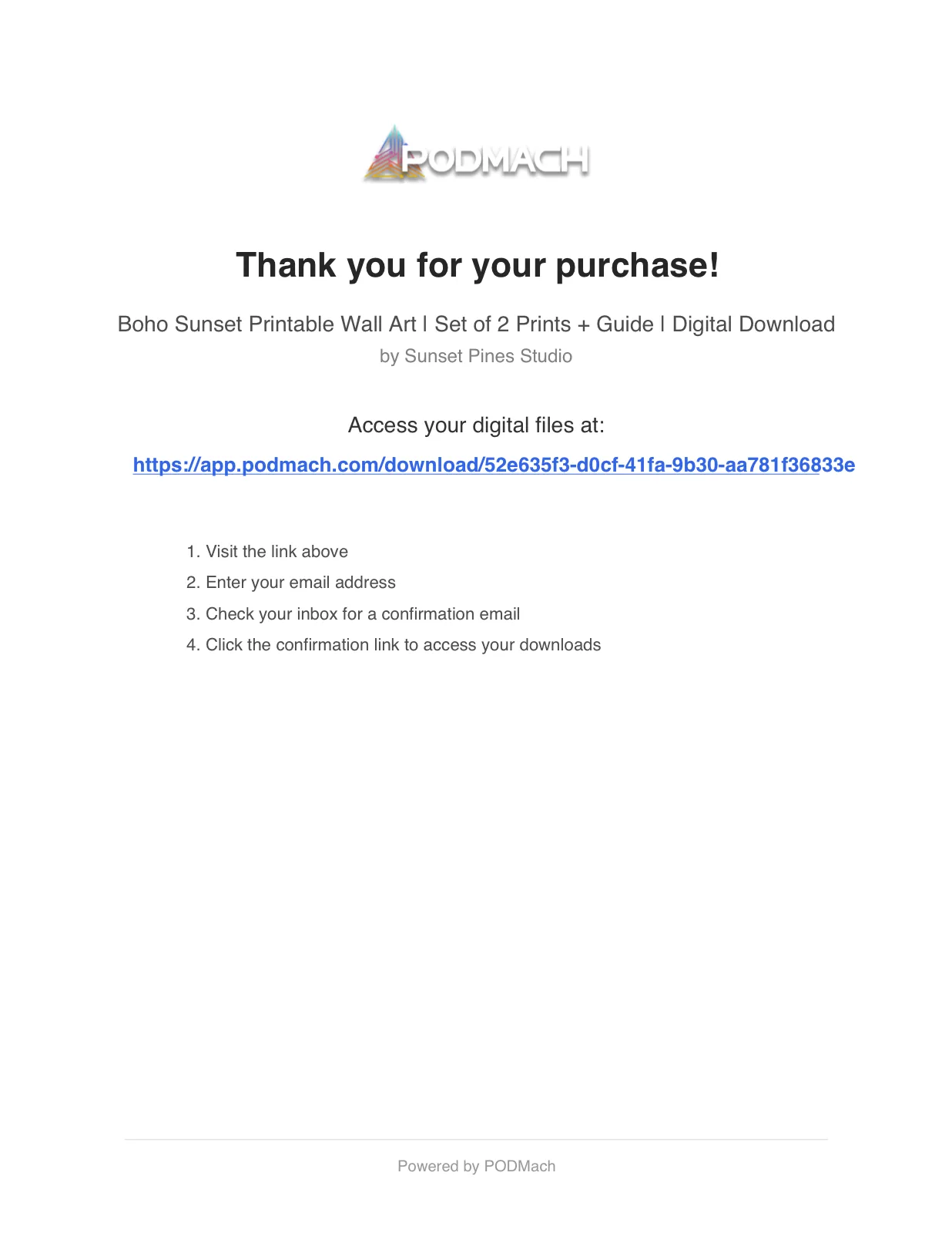
Lost the document? No problem — it's attached to your order forever. On Etsy: go to Your Account → Purchases, find the order, and download the delivery file again. Your link inside it never changes.
Registering your purchase (one time, under a minute)
The first time you open your download link, you'll be asked to verify your purchase:
- Enter your order number (it's in your marketplace order confirmation email — on Etsy, also under Your Account → Purchases) and your email address.
- Check your inbox (look in spam/promotions if nothing arrives within a couple of minutes).
- Open that email and click the link inside it — it takes you to your personal download page.
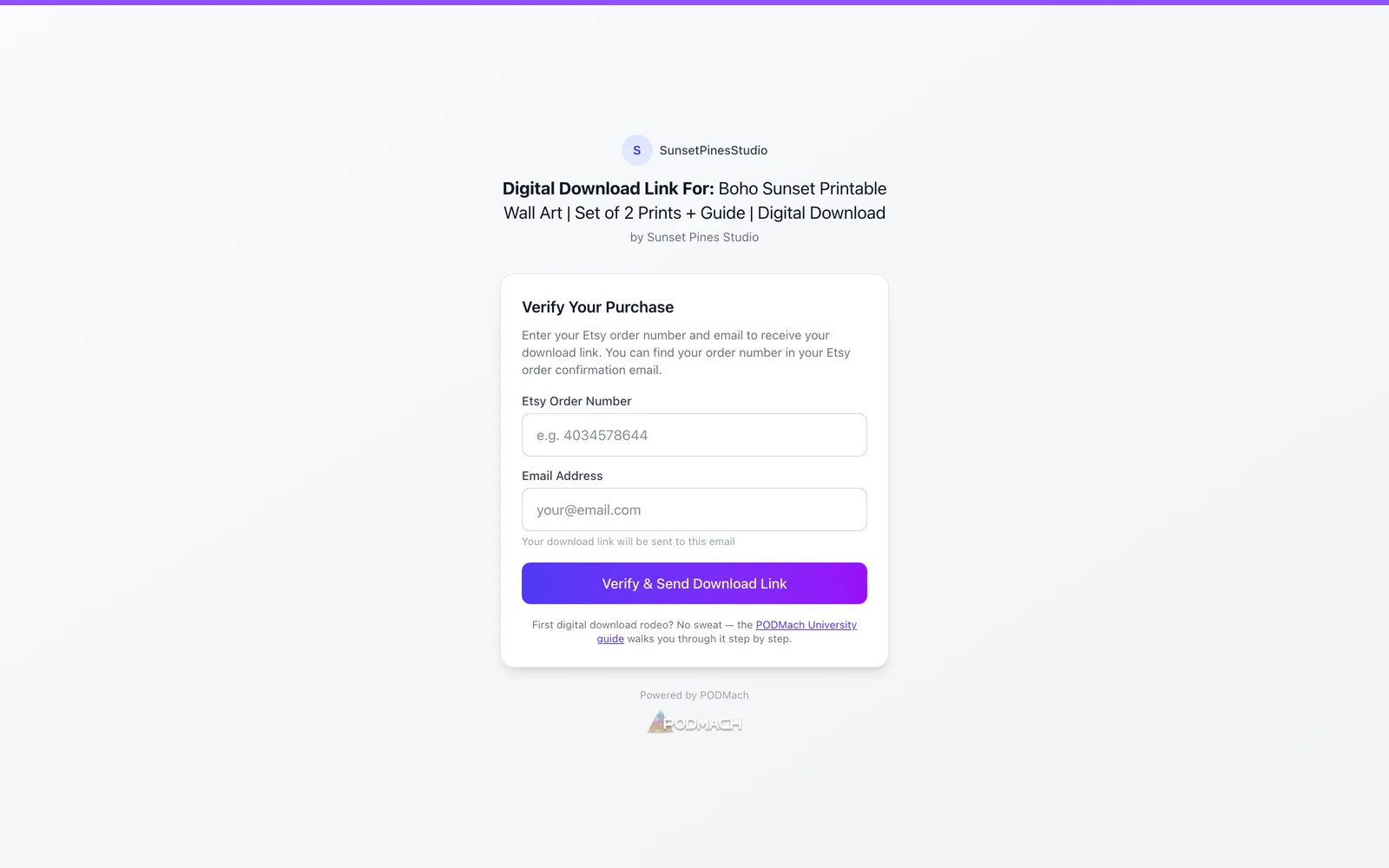
Note that you won't be taken to your files directly after entering your email — the link to your download page arrives in the confirmation email, so checking your inbox is the step that gets you in. This one-time step ties your purchase to you, which is what keeps the shop's files — and your access — secure.
Downloading your files
Your download page lists every file in your purchase. Download them individually, or grab everything at once where a bundle download is offered. Files come straight from secure storage at full quality — save them somewhere you'll find them again (cloud storage is a good habit for digital purchases).
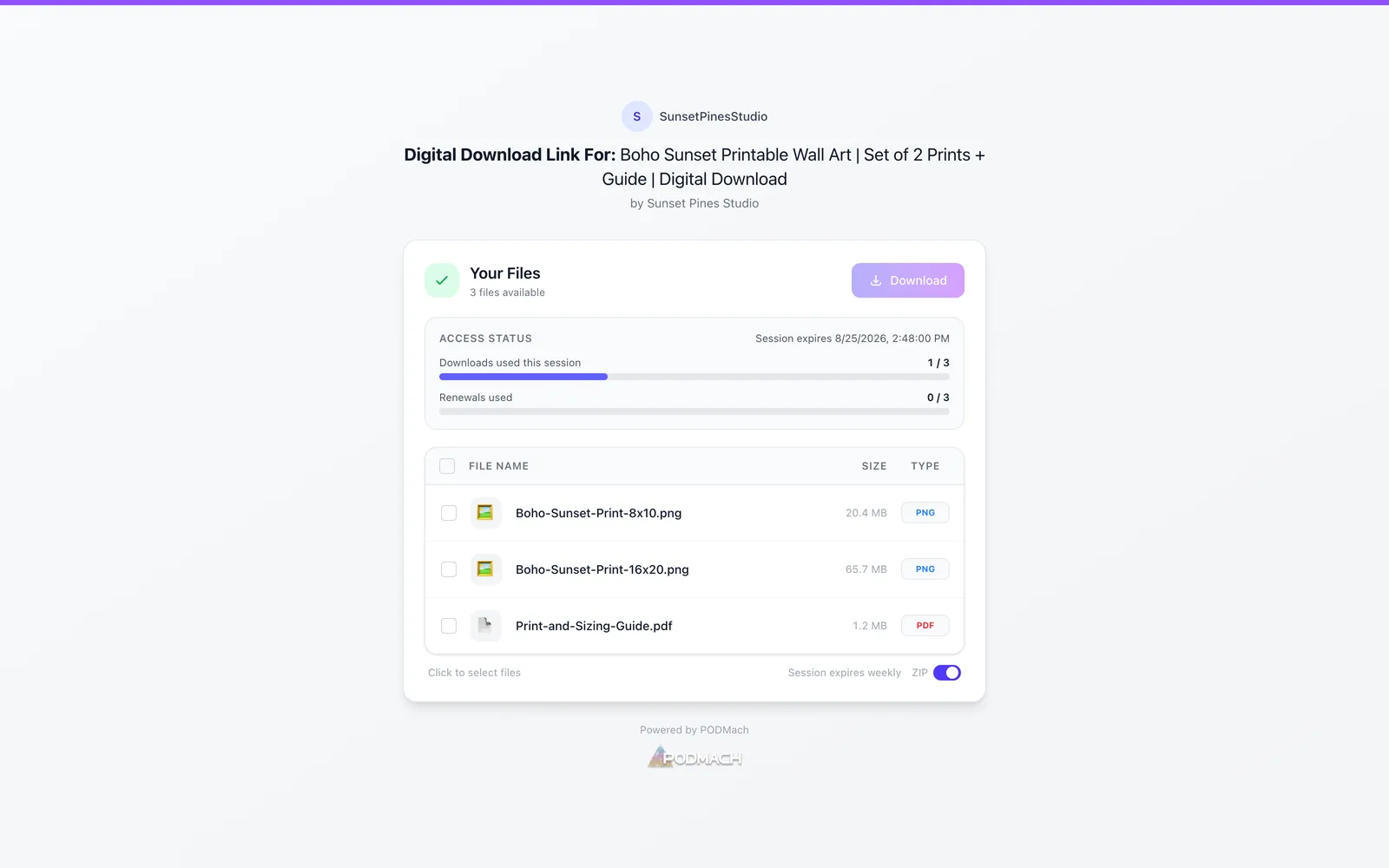
Tip: download everything and back it up on day one. Your access may operate on a session with time and download allowances (below), so the best practice is simple: get your files immediately, store them safely, and the rest of this guide becomes something you'll likely never need.
How access sessions work
Depending on how the shop configured your product, your access may be organized into sessions:
- A session lasts for a set window (for example a week or a month — some products never expire at all).
- Each window allows a certain number of downloads (commonly 3).
- When a window ends, you can usually renew it yourself — which starts a fresh window with a fresh download allowance.
Your download page shows your current status, so you're never guessing. Why sessions at all? They're how the shop keeps its files from being shared publicly — while making sure you, the actual buyer, can always get back in.
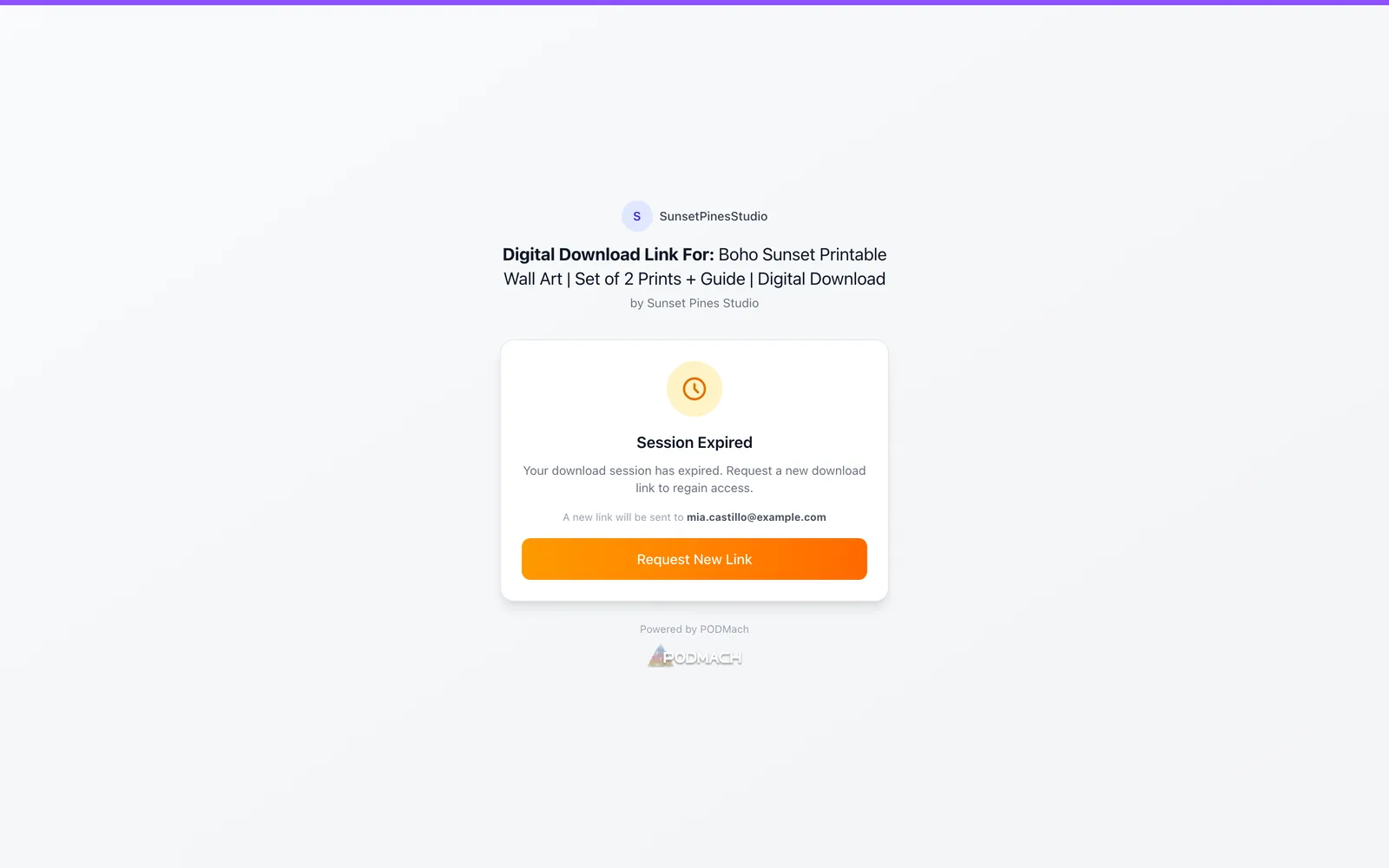
If your session expires: renewing
When your window has lapsed and renewals remain, your download page will offer to renew:
- Click renew.
- A 6-digit code is emailed to your confirmed address within moments.
- Enter the code — your session extends, and your download allowance resets.
Thirty seconds, fully self-serve, no waiting on anyone.
If you've hit a limit: requesting more access
Used all your downloads, or run out of renewals? You're not stuck. Your download page will show a Request more access option:
- Click it — your request goes directly to the seller (one click, nothing to write).
- You'll receive an email when the seller approves.
- A second email arrives when your access is ready, with your link — download away.
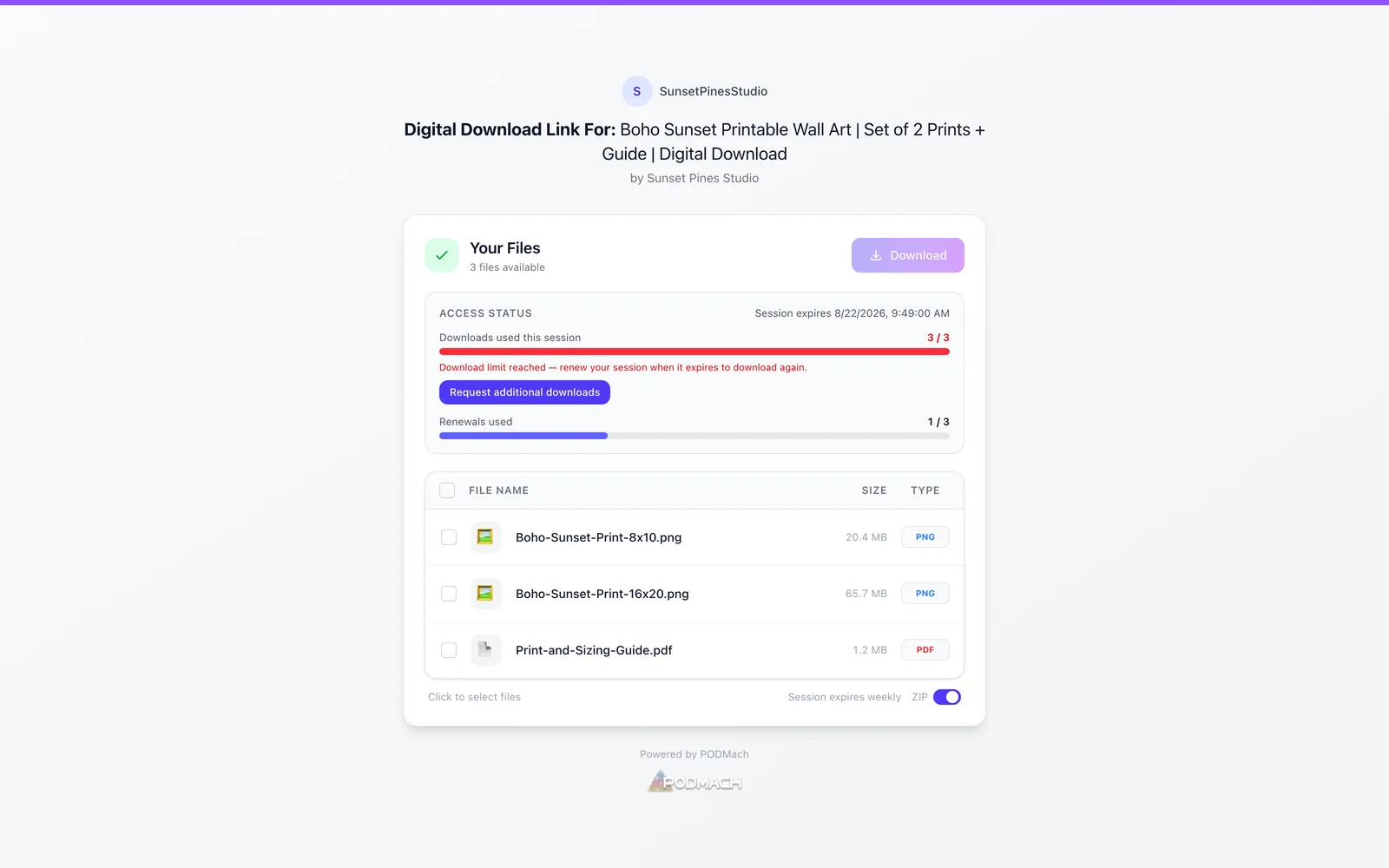
Sellers see these requests immediately and most respond quickly — needing a re-download after a new laptop or a lost file is completely normal, and the system is built for exactly that. If it's been a while, messaging the seller through the marketplace is always a fine follow-up.
Quick answers
- "My link says invalid." Re-download the delivery document from your marketplace order and use the link inside it — retyping or partial copies are the usual culprit.
- "I never got the confirmation email." Check spam/promotions; confirm you typed the same email you want to use going forward.
- "I entered the wrong email (or made a typo)." Message the seller through the marketplace — they can reset your registration in seconds. Once they have, open your delivery document's link again and register with the correct email; you'll start completely fresh, with your full download access.
- "Can I use a different email than my marketplace account?" Yes — confirm whichever email you enter on the download page; that becomes your access email for this purchase.
- "The seller updated the product — do I get the new files?" If your session is active (or renewable), your download page serves the current files. Renew and re-download.
- "I want the files on my phone AND my computer." Each download counts toward your window's allowance — or download once and sync via your own cloud storage.
That's the whole system: confirm once, download promptly, renew if needed, request if stuck. Enjoy your purchase!