Connecting Shopify & WooCommerce
Bring your own-domain stores into PODMACH — Shopify and WooCommerce connections, and how multi-store selling works.
Etsy brings the marketplace traffic; Shopify and WooCommerce give you a store you fully own. PODMACH treats all of them as equal citizens — one design library and one workflow, publishing everywhere.
Shopify
- Settings → Integrations → Shopify → Connect.
- Enter your store's
.myshopify.comaddress when prompted, and approve the app authorization on Shopify's side. - Back in PODMACH, your Shopify products and orders begin syncing.
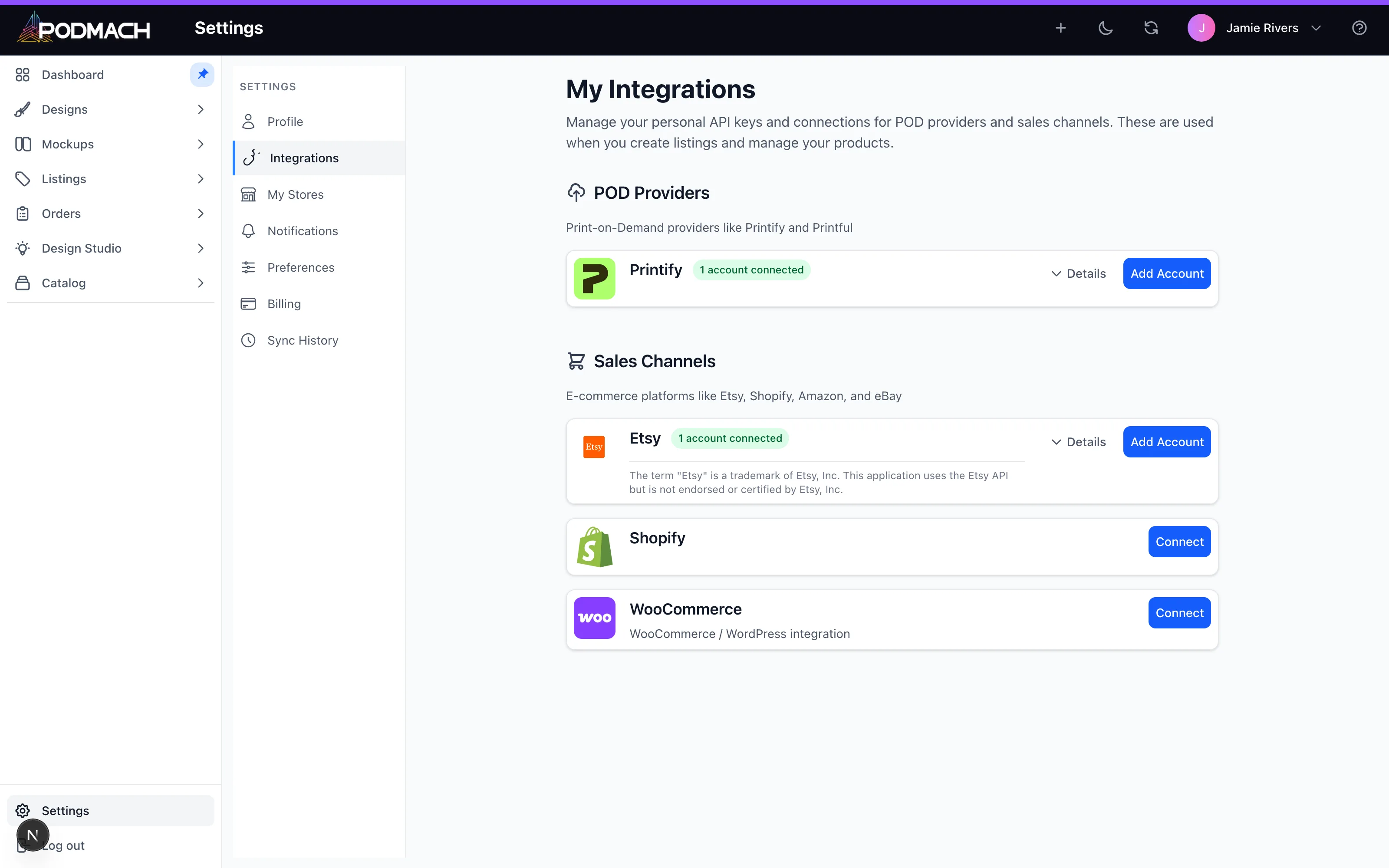
WooCommerce
WooCommerce runs on your own WordPress site, so the connection uses WooCommerce's REST API keys:
- In your WordPress admin: WooCommerce → Settings → Advanced → REST API → Add key (Read/Write permissions).
- In PODMACH: Settings → Integrations → WooCommerce → Connect, and provide your store URL and the generated key/secret.
- PODMACH verifies the connection and begins syncing.
Treat those API keys like a password — if they're ever exposed, revoke the key in WordPress and generate a fresh one.
Selling on multiple channels at once
This is where PODMACH earns its keep:
- One design, everywhere. Upload once; publish the same product to Etsy, Shopify, and WooCommerce.
- Orders in one stream. All channels' orders land in one Orders view, with financials that respect each platform's very different fee structures.
- Channel-appropriate listings. Etsy needs tags and SEO-driven titles; your own store doesn't. The listing wizard adapts per channel.
Which channel should a beginner pick?
Honest answer: Etsy first in almost every case — it brings buyers to you. Add Shopify/WooCommerce when you have designs that are proven sellers and you're ready to invest in driving your own traffic (social, ads, email). Owning the customer relationship is worth it after you know what sells.
Related: Multi-Store Management in the scaling track.