Digital & Multi-Product Listings
Beyond the basic tee: sell digital downloads with zero production cost, and bundle multiple products into one listing.
Once the standard listing flow feels routine, PODMACH's two advanced listing types open new margin profiles: digital products and multi-product listings.
Digital listings
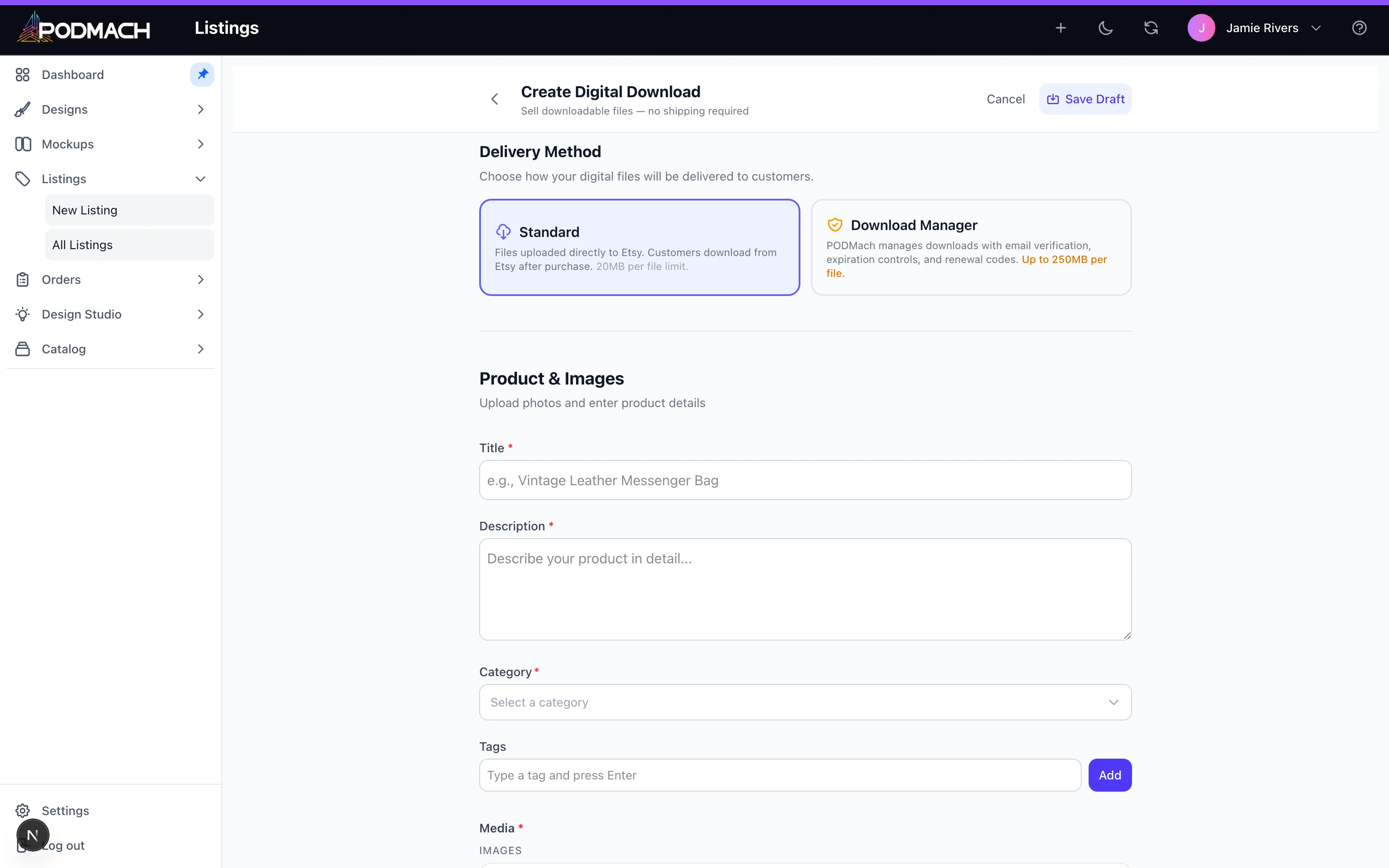
A digital listing sells a file, not a printed object — art prints as downloadables, planners, SVG bundles, wall-art sets buyers print themselves.
Why sellers love digital: the margin. No base cost, no print provider, no shipping — your price minus platform fees is essentially all yours. And the same design library you built for POD often converts: an art-forward design that sells as a $28 poster can also sell as an $6 instant-download print set.
Creating one: the wizard's digital flow (Listings → Create → Digital) skips product/provider selection entirely — you attach the deliverable files, set mockups showing the art in context (framed-print mockups work beautifully), write details, price, publish.
Digital-specific craft:
- Deliver generously: multiple aspect ratios (2:3, 3:4, 4:5, A-series) in one purchase is the category standard buyers expect.
- Say exactly what's included, in the first lines: "5 JPG files, 300 DPI, sizes up to 24×36."
- Watermark your listing mockups, never the delivered files.
Multi-product listings
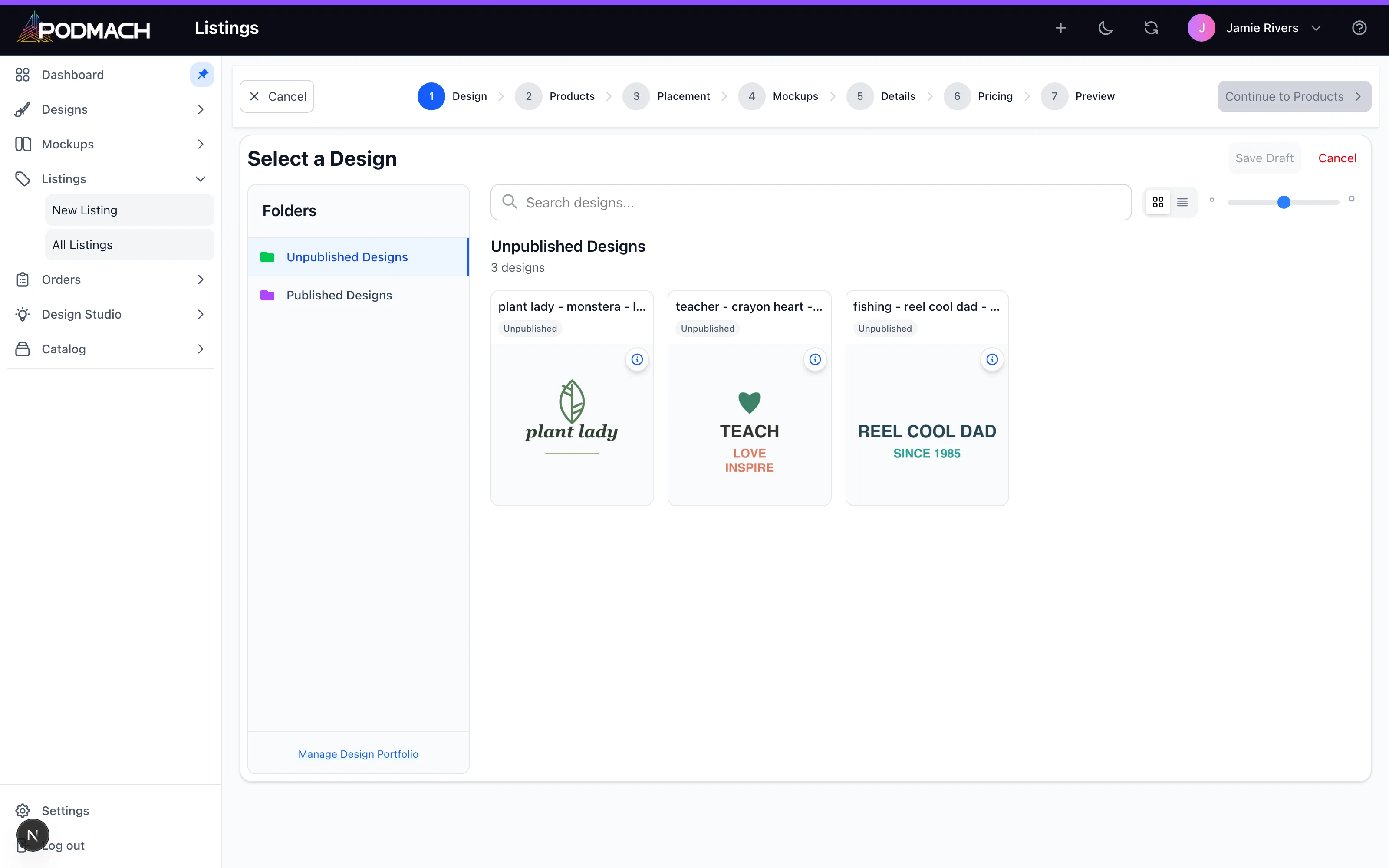
A multi-product listing offers more than one product type in a single listing — the classic being a design available as tee and sweatshirt and hoodie in one place, or matched sets.
Why bother: one listing accumulates all the sales history, reviews, and search rank instead of splitting them across three listings — and buyers comparing formats stay on your page while they decide.
Creating one: the multi flow (Listings → Create → Multi) lets you assemble multiple blueprints under one listing, with per-product pricing so each component keeps sane margins. Mind the details step: the copy has to serve every included product, and your image set should show each one.
Watch for: variant sprawl. Three products × five colors × six sizes is ninety combinations — keep the option set curated so buyers choose easily and every combination is one you've actually checked.
Going deeper: the Digital Download Manager
Standard digital delivery hands your files to the channel; PODMACH's Digital Download Manager keeps them protected and managed after the sale — email-verified access, expiry windows, download limits, and a request loop for buyers who need more. The full story lives in the Digital Downloads & the DDM learning path, starting with DDM vs. Regular Digital Downloads.
Which to reach for
- Art-forward designs with print appeal → add a digital version; it's nearly free money on work you've already done.
- Proven sellers in apparel → a multi-product listing consolidates demand.
- Brand-new unproven designs → start simple; graduate them when they show signal.