Connecting Your Etsy Shop
Link your Etsy shop to PODMACH in about two minutes — what the authorization does, what syncs in, and the hiccups to know about.
Connecting Etsy is a one-time, two-minute job, and it's the connection most PODMACH sellers make first.
Before you start
- You need an open Etsy shop (even with zero listings). If you haven't opened one, do that at etsy.com first — PODMACH connects to a shop, not just an Etsy account.
- Be logged into the right Etsy account in your browser if you have more than one.
Connecting
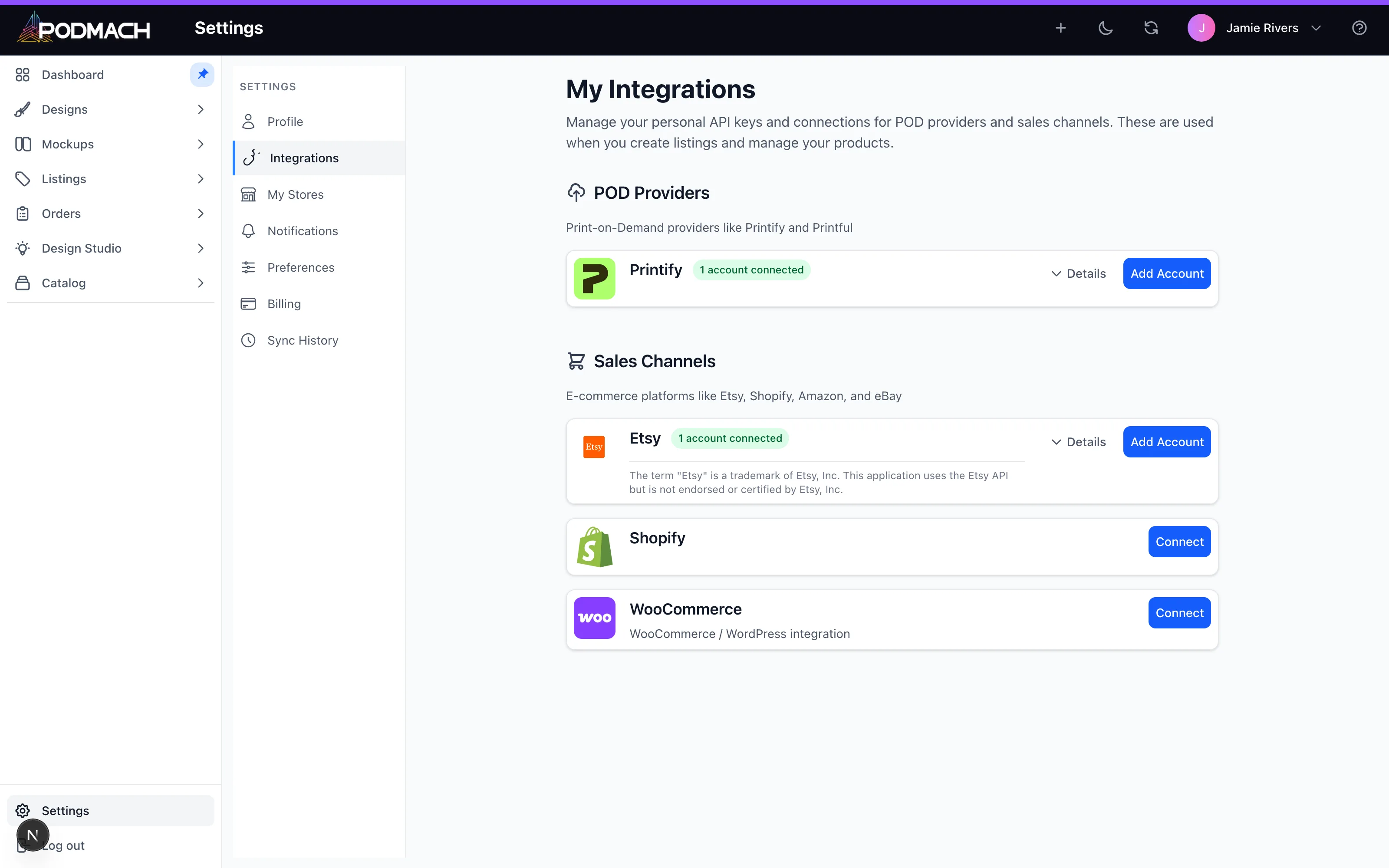
- In PODMACH, go to Settings → Integrations.
- Find Etsy and click Connect.
- You'll be redirected to Etsy's authorization page, which lists the permissions PODMACH is requesting — reading your listings and orders, creating and updating listings on your behalf.
- Click Allow access. Etsy sends you back to PODMACH with the connection live.
PODMACH never sees or stores your Etsy password. Etsy issues a secure token, and you can revoke it any time from your Etsy account's Apps settings (or by disconnecting inside PODMACH).
What happens after you connect
- Your existing listings sync in. Anything already live in your shop appears in PODMACH, so you can manage everything from one place.
- Orders start syncing. New Etsy orders flow into PODMACH's Orders view, alongside every other channel you connect.
- Publishing unlocks. The listing wizard can now publish directly to your Etsy shop.
Common hiccups
- "I connected the wrong shop." Disconnect in Settings → Integrations, log into the correct Etsy account in your browser, and reconnect.
- The authorization page never redirected back. Usually a browser extension blocking the redirect — try again in a private window.
- Listings aren't appearing. Give the first sync a few minutes for large shops. Still missing after that? support@podmach.com.
A note on Etsy's rules
Etsy allows print-on-demand and requires that you disclose your production partner on listings. Keep your shop's production partner settings accurate — it protects your shop.
Next: Connecting Printify — so your listings have someone to print them.
Continue the POD Foundations path
Uploading & Organizing Designs
6 min read