The Buyer's Journey: DDM From the Customer's Side
What your customer actually sees and receives — the access document, email confirmation, the download page, and renewal — so you can support them with confidence.
You'll answer buyer questions about delivery eventually — every digital seller does. This guide walks the entire journey from the buyer's side so nothing about it is a mystery to you.
Step 1 — The purchase and the access document
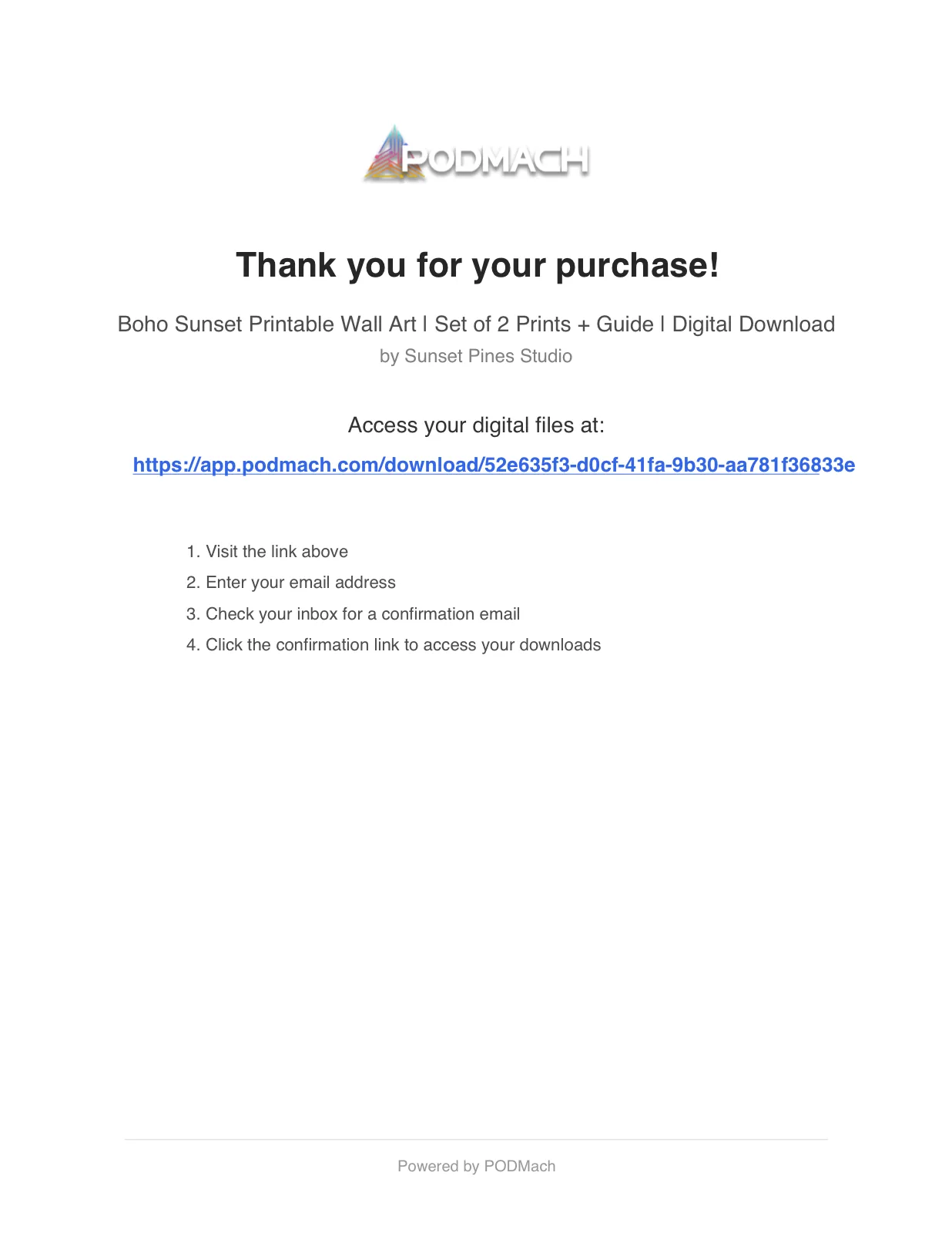
Your buyer purchases on your sales channel exactly as normal. What the channel delivers to them is a clean, branded access document (PDF) — not the product files themselves. It looks professional, carries your shop's identity, and contains one thing that matters: their personal secure download link. From the buyer's perspective: "I bought it, I got a delivery immediately, it tells me where my files are." No confusion, no waiting.
(Why a document with a link rather than raw files? That's the entire protection model — see How the DDM Protects Your Files. The buyer never needs to know the mechanics; they just click.)
Step 2 — The download page and email confirmation
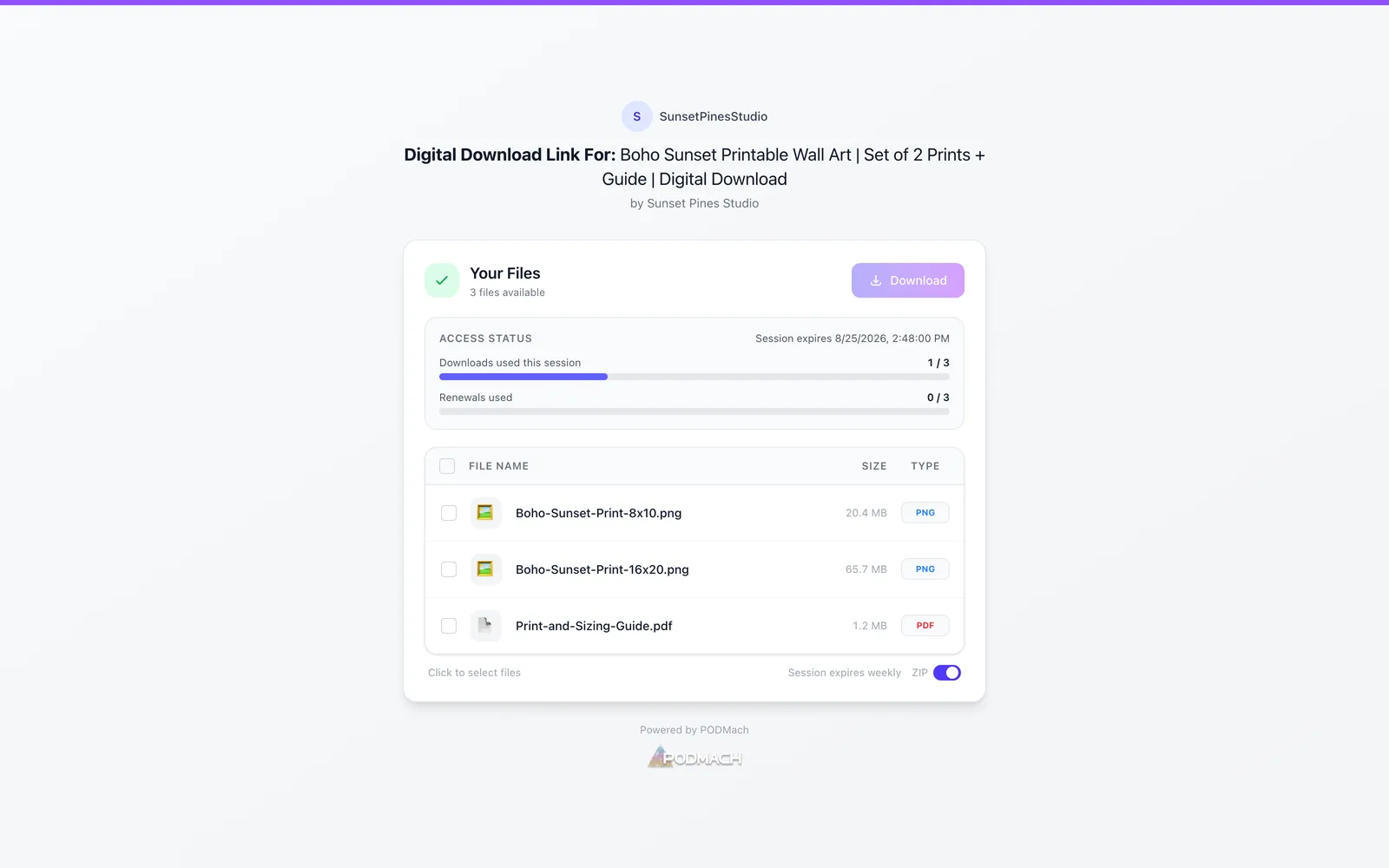
The link opens their personal download page on PODMACH. On first visit, they're asked to confirm their email address — they enter it, receive a confirmation email, click it, and they're verified. One time, under a minute, and it reads as exactly what it is: standard purchase verification, the same ritual as every account they've ever created.
From then on, that page is theirs: the product files listed and downloadable, their access status visible (how long the session runs, downloads available). Downloading works per file or as a bundle — big files come straight from PODMACH's storage at full speed, which is precisely how a 250MB bundle gets delivered where Etsy's own delivery caps out at 20MB.
Step 3 — Living with the session
Inside an active window, the buyer downloads freely up to the window's allowance. Most buyers grab their files on day one and never think about it again — the entire system is invisible when it isn't needed.
When a window expires, the download page says so plainly and offers renewal: the buyer clicks renew, a 6-digit code arrives at their confirmed email within moments, they enter it, and the session extends by another window with a fresh download allowance. Self-serve, ~30 seconds, no seller involvement — this is the path your settings' renewal count is budgeting for.
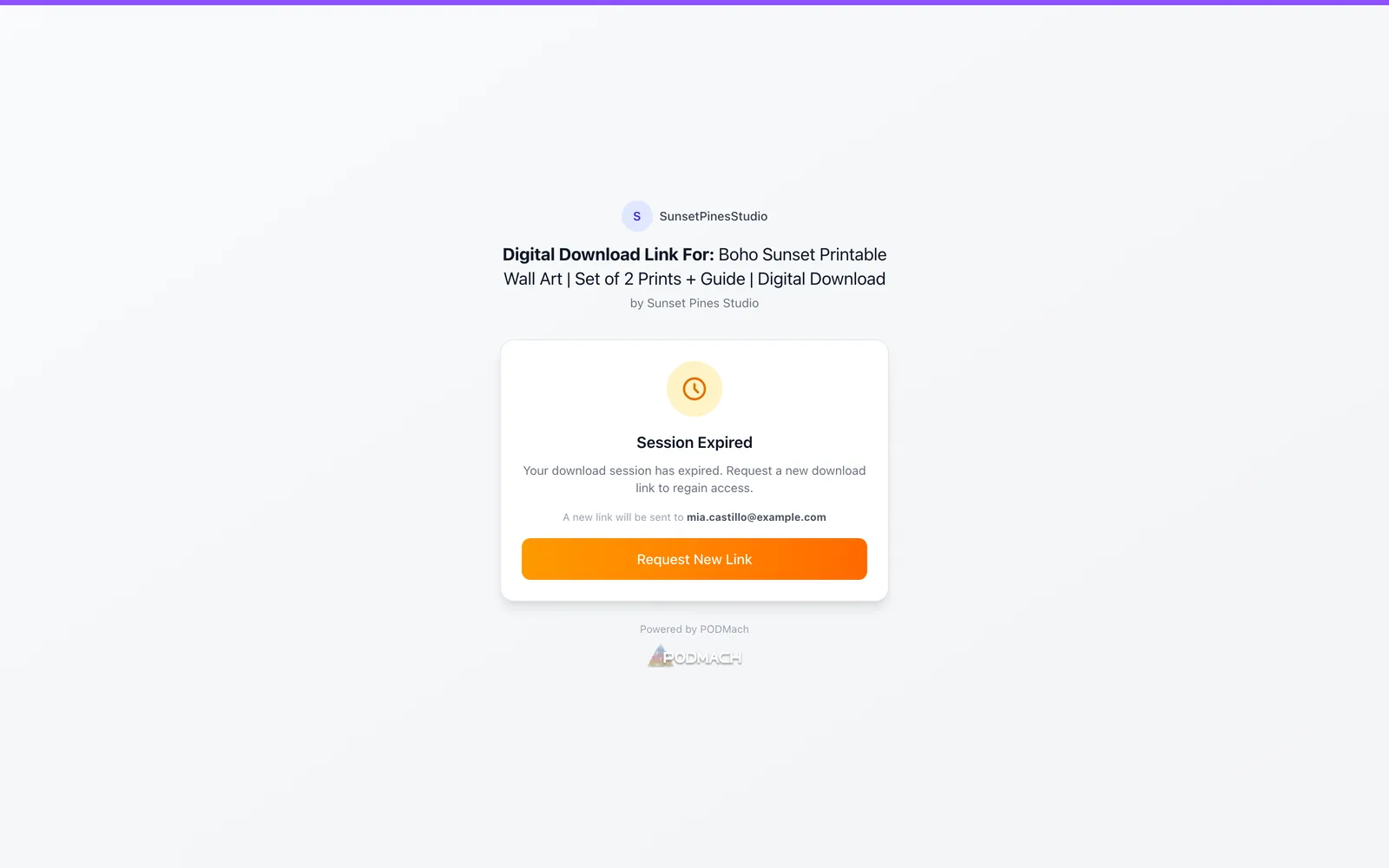
When self-serve runs out — renewals exhausted, or a final expiration passed, or they've used their window's downloads and genuinely need more — the page doesn't dead-end. It offers Request more access, which sends the request to you with one click. What happens next is the subject of the next guide; the buyer's side of it is simply: request → wait for your reply → get an email when you've granted it → download.
The emails, in one place
Your buyer may receive up to four kinds of email across the journey, all clean and branded:
- Confirmation email — verifies their address on first access.
- Renewal code — the 6-digit code when they renew.
- Request updates — when they've asked for more access: a notification when you approve (and access is granted), or a polite note if you decline.
- Their original channel receipt (Etsy's own) — which contains the delivered access document.
Supporting buyers: the three questions you'll actually get
-
"Where are my files?" → "Check your purchase delivery — the PDF contains your personal download link." (On Etsy: the download appears on the order/receipt page as usual.)
-
"It says my access expired." → "Click renew on that page — a code goes to your email and you're back in immediately."
-
"I need to download again but it won't let me." → "Use the Request more access button — I'll grant it right away." (And then do — one click on your side, covered next.)
-
"I registered with the wrong email." → Open the listing's Manage Downloads, find their row, and revoke the registration — their order resets to unverified, and they simply register again from their delivery link with the correct address (fresh session, full allowances). Takes you one click; takes them one minute.
Every path ends with the buyer served and the files protected — that's the design.
Give your buyers this link: the companion guide Accessing Your Digital Purchase is written directly to your customers — paste it into listing descriptions and support replies instead of re-explaining the flow each time.
Next: Handling Buyer Access Requests — your side of the request loop.
Continue the Digital Downloads & the DDM path
Handling Buyer Access Requests
6 min read