Expiry, Renewals & Download Limits: The DDM Control Panel
The four settings that govern every DDM listing — session expiry, renewals, downloads per window, and the final cutoff — how each works, and battle-tested combinations.
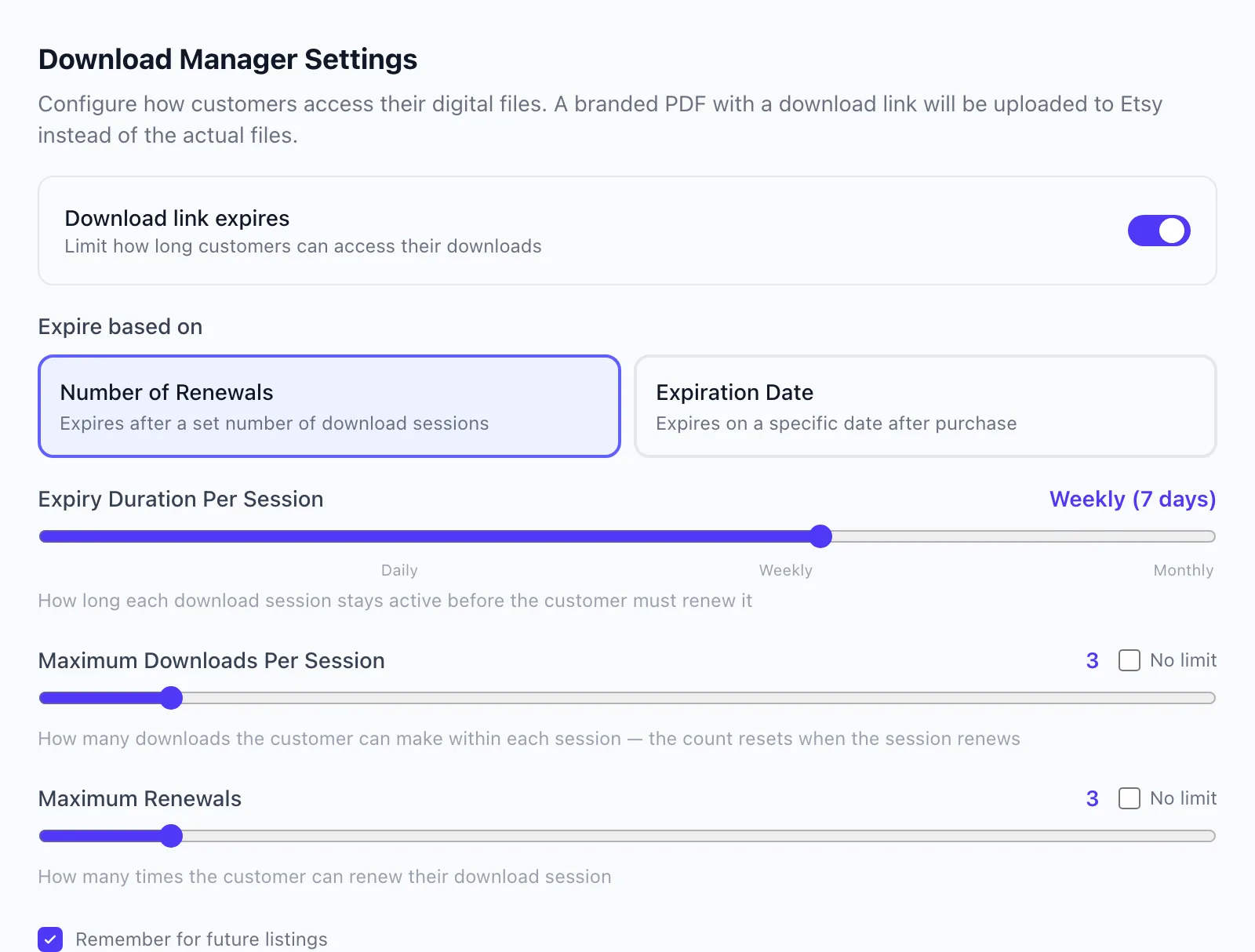
Every DDM listing runs on four settings. They're configured in the wizard when you create the listing and adjustable any time afterward — and understanding how they interlock is the difference between defaults and strategy.
The four settings
1. Session expiry (the window). How long each access session stays open before it needs renewing: none (never expires), daily, weekly, or monthly. This is the heartbeat of the system — everything else operates inside these windows. With expiry set to none, the session is always active and the other limits relax accordingly.
2. Max renewals. How many times a buyer can renew an expired session — extending their access by another window each time. Renewal is self-serve: the buyer clicks renew on their download page, receives a 6-digit code at their confirmed email, enters it, and the session extends. Set a number (the default is 3), or leave it unlimited if you want buyers to always be able to come back on their own.
3. Max downloads per window. How many file downloads each session window allows (default 3). Crucially, this counter resets on every renewal — so "3 downloads, weekly expiry, 3 renewals" really means up to four windows of 3 downloads each, every one gated by the buyer's verified email. This is the anti-leak throttle: honest use fits comfortably; mass distribution doesn't.
4. Final expiration date (optional). A hard calendar cutoff after which the session is done regardless of renewals remaining. Most evergreen products leave this empty; it exists for the cases where access should end — seasonal content, limited-time bundles, license windows.
How they interact: a session's life
A buyer's session is always in one of three states:
- Active — inside the current window (or expiry is none): downloads work, up to the per-window allowance.
- Expired but renewable — the window lapsed, but renewals remain and any final date hasn't passed: the buyer sees a renew option; one emailed code later, they're active again with a fresh download allowance.
- Fully expired — renewals exhausted or the final date passed: self-serve access ends. The buyer isn't stranded, though — this is exactly when the Request more access flow comes to you (next guide), and you can grant more in one click.
Recipes that work
The evergreen default — weekly / 3 renewals / 3 downloads, no final date. A month of comfortable self-serve access for every buyer, meaningful friction for anyone else. If you're unsure, start here — it's the setting the defaults are built around.
The generous evergreen — monthly / unlimited renewals / 3 downloads. Buyers can always come back (each return re-verified by email), but no window ever allows a download spree. Great for higher-priced products where "lifetime access" is part of the promise — you're granting lifetime renewability, which preserves the protection.
The tight release — daily / 1 renewal / 2 downloads, final date set. For launches, seasonal drops, or content with a natural end date. Access is real but bounded, and the final date makes the end unambiguous.
The frictionless option — expiry: none. Effectively "protected instant download": buyers still confirm email and links still aren't public file URLs, but nothing ever lapses. Use when the product is inexpensive and your priority is zero buyer effort with baseline protection.
Judgment calls
- Match the window to usage patterns. Planner buyers return monthly; SVG buyers grab everything once. Set windows to how your honest buyers actually behave, then let renewals absorb the edge cases.
- Downloads-per-window should exceed honest need slightly. If your bundle is five files delivered as one zip, 3 downloads is plenty. If buyers legitimately grab files individually, raise it — making paying customers ask permission for normal use is the one mistake to avoid.
- Unlimited renewals ≠ unprotected. Every renewal re-verifies the email. It's generosity with a receipt.
- You can change your mind. Settings apply per listing and are editable after publish (Managing Your DDM Listings). New rules govern the sessions going forward — so start protective and loosen with evidence, not the reverse.
Next: The Buyer's Journey — what all of this looks like from the other side of the sale.