DDM vs. Regular Digital Downloads: Which to Use, and When
PODMACH gives you two ways to sell digital products — standard channel delivery, or the Digital Download Manager. Here's exactly how each works and how to choose.
When you create a digital listing in PODMACH, you're choosing between two delivery systems — and the choice shapes everything about how your buyers receive files and how much control you keep after the sale.
Regular digital downloads: the channel does the delivering
A standard digital listing works the way marketplaces have always worked: you attach your files in the wizard, PODMACH publishes them with the listing, and the sales channel itself delivers them. On Etsy, the buyer sees "Instant Download," pays, and Etsy hands over your files directly.
What that means in practice:
- File limits are the channel's limits — on a standard digital listing, files are capped at 20MB each, because they travel through the channel's own delivery system.
- Delivery is instant and anonymous — the buyer gets the actual files immediately, no extra steps.
- Your control ends at the sale. Once delivered, the files are simply out there. You can't see whether they were downloaded once or forwarded to a group chat, can't update them for past buyers, and can't expire anything.
This is completely fine for many products — low-cost items, freebies, and anything where post-sale control genuinely doesn't matter.
The Digital Download Manager: PODMACH does the delivering
Flip on the Digital Download Manager in the wizard's digital flow, and the model changes: PODMACH hosts your files and controls access to them. What the buyer receives through the channel isn't your files — it's a beautifully branded access document containing their secure personal download link. That link leads to their own download page on PODMACH, where the real delivery happens under rules you set.
What that unlocks:
- Much bigger files — up to 250MB each — because your files never squeeze through the channel's delivery pipe. Full-resolution bundles, multi-file collections, video content.
- Access is tied to a person, not a link. Buyers confirm their email before downloading, so a forwarded link doesn't equal a free copy (the full story: How the DDM Protects Your Files).
- Time and usage rules. Sessions can expire and renew on a schedule you choose, with download counts per window — the whole control panel is covered in Expiry, Renewals & Download Limits.
- Visibility and an ongoing relationship. You see who's downloaded, how many times, and when; buyers who need more access can ask you for it with one click, and you can grant it with one click (Handling Buyer Access Requests).
The form, side by side
Both listing types start in the same place — Listings → Create → Digital — and share the familiar wizard steps: files, mockups, details, pricing, preview. The differences you'll actually see:
- The DDM toggle in the digital flow's configuration section. Off = standard delivery. On = the DDM settings appear.
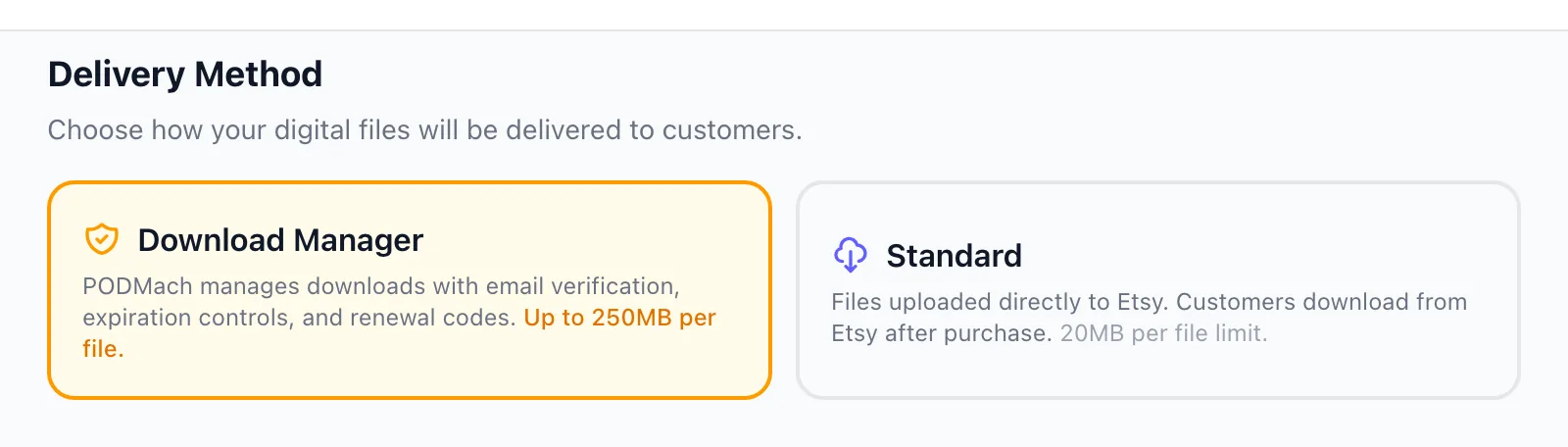
- With DDM on, you'll configure the session rules — expiry type, renewals, downloads per window, and an optional final cutoff date — right in the wizard (sensible defaults are pre-filled; you can change everything later per listing).
- File upload behaves differently: the 20MB-per-file ceiling becomes 250MB with DDM enabled, and your files upload to PODMACH's protected storage instead of being passed to the channel.
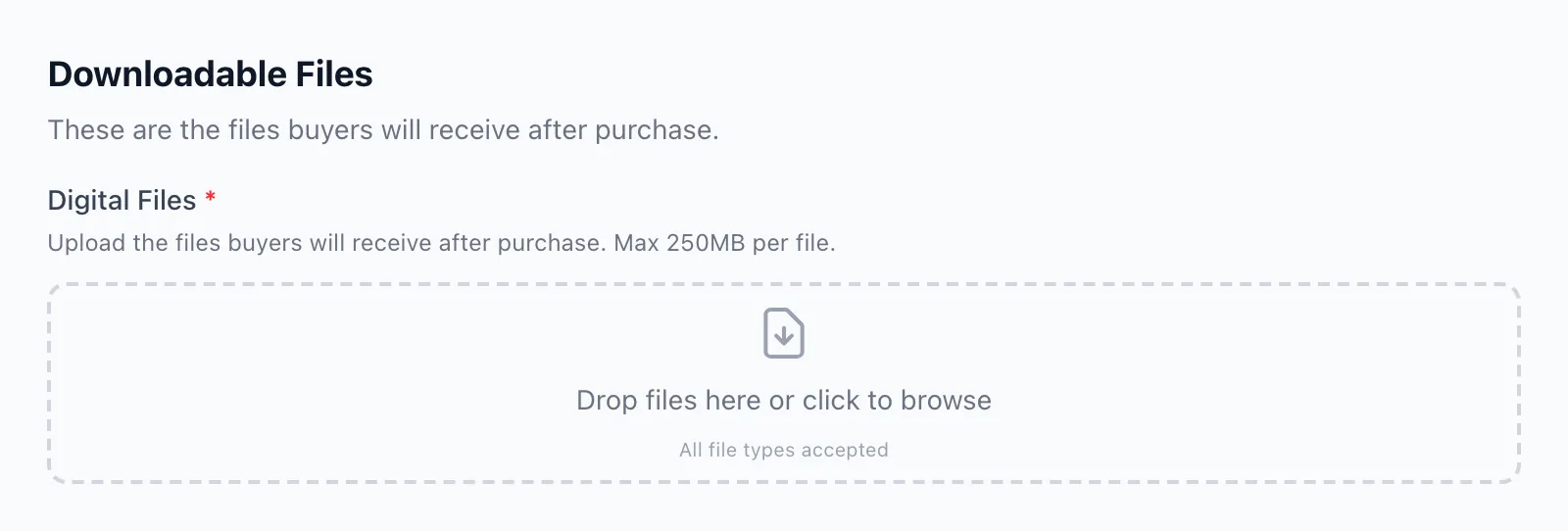
Everything else — MACH AI copy, pricing, publishing — works identically.
Choosing
Use regular delivery when the product is inexpensive, control doesn't matter, and instant frictionless delivery is the whole point. Use the DDM when the product has real value worth protecting, when files exceed channel limits, when you want to see and serve your buyers after the sale — or when you've ever felt the particular pain of watching one sale turn into a hundred downloads. For most sellers building a serious digital line, the DDM is the default and regular delivery is the exception.
Next in this path: Why Use the DDM — the advantages in depth, including the file-protection story.