How the DDM Protects Your Files (and Why That Matters)
Most digital sellers deliver through public links that anyone can share. Here's what that costs, and how the DDM's protection model actually works.
Ask digital sellers how they deliver files and you'll hear the same answer over and over: a Google Drive link. Upload the files, set sharing to "anyone with the link," paste it into the listing or a delivery PDF, done. It works — right up until you understand what it costs.
The problem with public links
A public share link has one security property: knowing the URL. That's it. Which means:
- One buyer can become unlimited downloaders. The link gets pasted into a Facebook group, a Discord, a "freebies" forum — and every person who clicks gets your product exactly as if they'd paid. You'll never know it happened.
- The link never expires. The buyer from two years ago, and everyone they ever shared with, retains access forever — including to updated versions you upload later.
- You have zero visibility. Drive doesn't tell you who downloaded, when, or how many times. Ten downloads or ten thousand — same silence.
- Revocation is all-or-nothing. Kill the link and you break it for every legitimate past buyer at once; keep it and the leak stays open.
None of this is hypothetical — link-sharing is the dominant way digital products leak, precisely because it requires no piracy skills at all. Forwarding a link doesn't even feel like stealing.
What the DDM does differently
The Digital Download Manager replaces "knowing the URL" with a real access model:
1. The link identifies a purchase, not the files. What buyers receive is a personal access link to a PODMACH download page — the files themselves live in protected storage and are only served through that page's checks. There's no public file URL to leak.
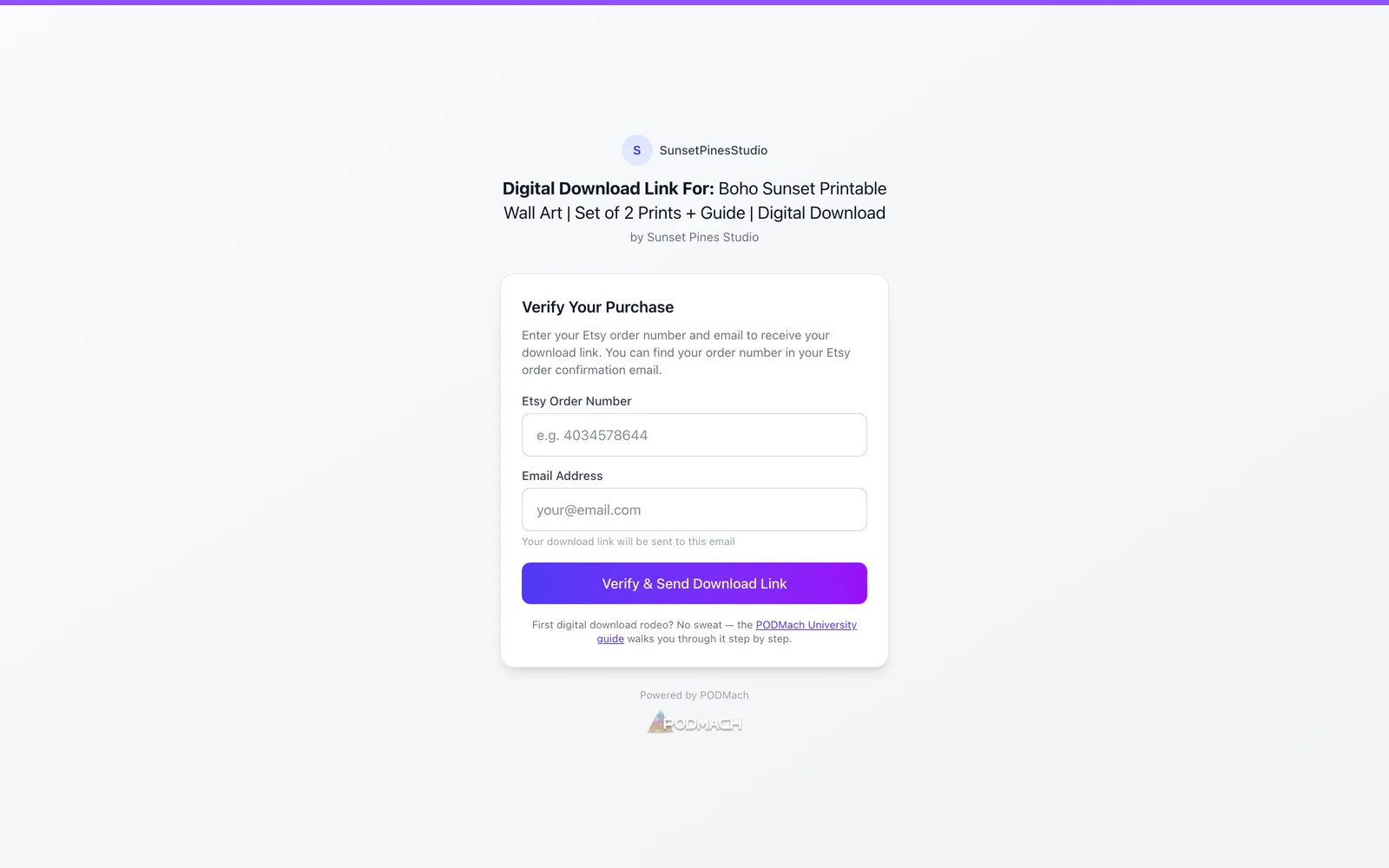
2. Access is bound to a verified purchase. Before downloading, the buyer verifies with their order number and email address — a one-time step that ties the session to the actual purchase, and their personal download link is sent to that email. A forwarded link now leads to a page asking the recipient to prove they're the purchaser, not to your files.
3. Usage is metered. Each access session allows a set number of downloads per window (you choose how many — the default is 3). A leaked-and-confirmed session can't feed a forum; it burns through its allowance and stops.
4. Time is on your side. Sessions can expire on a schedule — daily, weekly, or monthly windows — and renew through a verification step (a 6-digit code sent to the confirmed email). Legitimate buyers renew effortlessly; anonymous freeloaders hit a wall. And an optional final expiration date puts a hard end to access when that fits the product.
5. You can see everything. Per listing, the DDM shows you every buyer's status: downloads used, renewals used, last download, active or expired. Anomalies are visible instead of invisible.
6. Control survives the sale. Adjust a listing's rules any time, grant a specific buyer more access in one click, or let a session lapse — per person, not all-or-nothing.
What this feels like for honest buyers
Protection that punishes paying customers is bad protection, so the DDM's buyer experience is deliberately smooth: click the link, confirm your email once, download. Renewals are a code that arrives by email in seconds. And when someone genuinely needs more than the limits allow — a new laptop, a lost file, a re-download months later — they don't hit a dead end: they hit a Request more access button that comes straight to you (see Handling Buyer Access Requests). The system's posture is "protected by default, generous on request" — which is exactly the balance that guards revenue without generating support tickets.
The honest limits
No delivery system prevents a determined buyer from re-sharing files they've legitimately downloaded — once bytes are on someone's machine, that's physics. What the DDM eliminates is the casual, invisible, unlimited leak that public links invite, and it gives you the visibility to see problems and the tools to respond. For digital products with real value, that's the difference between a business and a donation box.
Next: Expiry, Renewals & Download Limits — the control panel in detail.