Mockups That Sell
Buyers judge the photo, not the product. Generate mockups in PODMach, build reusable collections, and assemble a listing image set that converts.
Your buyer never sees your product before buying — they see your mockup. On a search results page it's the only thing they see. It's not decoration; it's the storefront window.
This guide covers generating mockups in PODMach, building reusable collections, the image sequence that converts, the technical requirements worth knowing, and the mistakes that quietly cost clicks.
Why do mockups matter so much in print-on-demand?
In POD you don't photograph inventory — there is no inventory until someone orders. Every image a buyer sees is a mockup, so the mockup does three jobs a product photo normally does:
- Wins the click. In search results, your hero image competes against dozens of others at thumbnail size. Etsy's ranking also watches how listings perform when shown — clicks, favorites, purchases — so a weak hero costs you rank as well as sales (see Etsy SEO in 2026).
- Answers questions. Color, fit, scale, print quality. Every question your images answer is one less reason to leave — or to message you.
- Sets expectations. A mockup that's more flattering than the real product wins the sale and loses the review. Accuracy is part of conversion.
Generating mockups in PODMach
The Mockups section does the heavy lifting:
- The Generator places your design onto product scenes — pick the blueprint, pick your design, and generate a set of images across colors and contexts.
- The Browser lets you explore available mockup styles and scenes for your products.
- Everything you generate lands in your mockup library, reusable across listings.
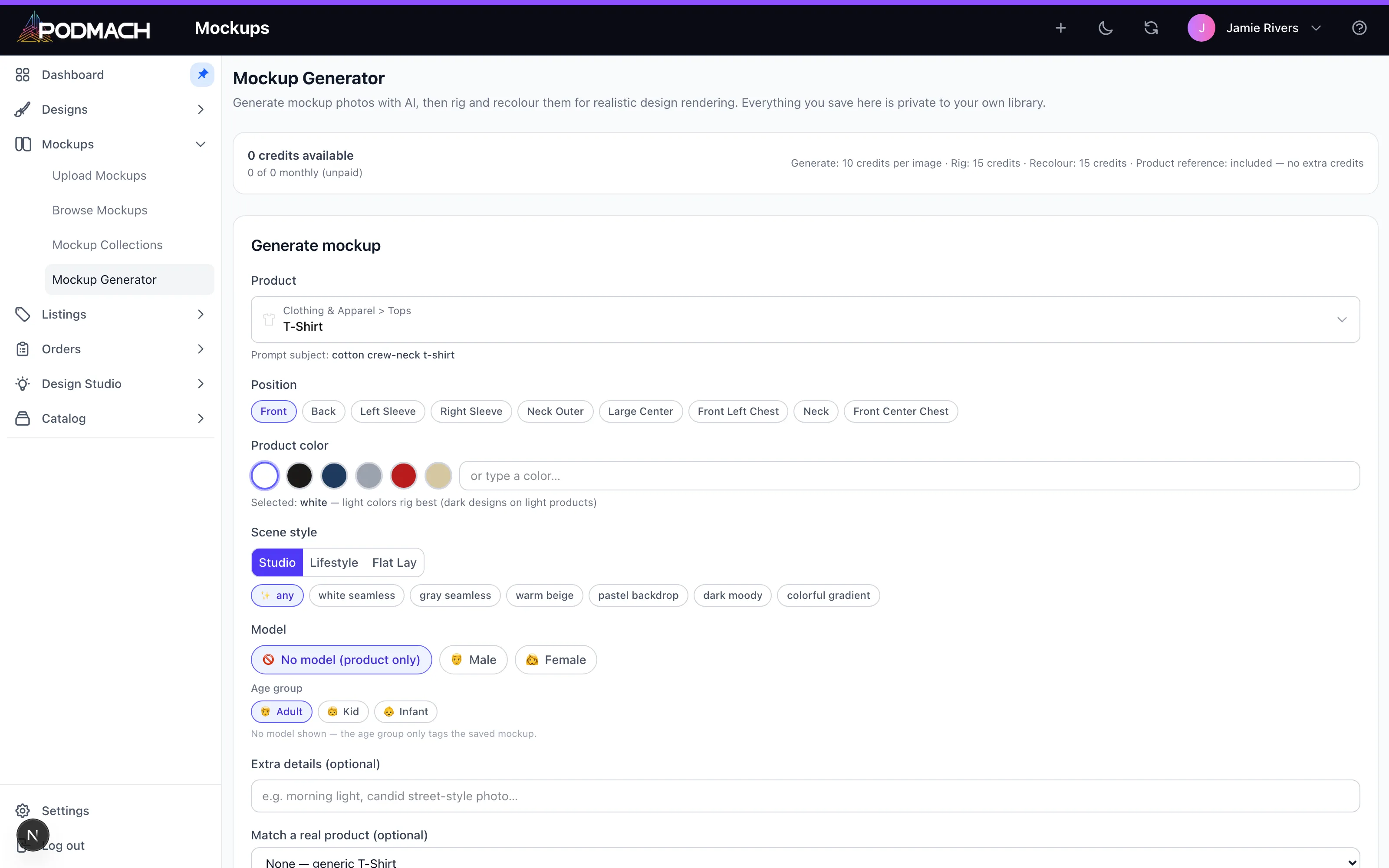
Step by step: your first mockup set
- Start from the product you'll actually list. Choose the same blueprint you'll publish so the garment cut, colors and print area match what the buyer receives (see Choosing Products from the Catalog).
- Pick the design from your library. A high-resolution, transparent-background file gives the cleanest placement (see Uploading & Organizing Designs).
- Position it honestly. Match the placement and scale your print provider will actually print. Oversizing a design on the mockup to make it "pop" is the most common cause of "smaller than pictured" reviews.
- Generate across the colors you'll offer — not every color in the catalog. Only show colors your listing actually sells.
- Choose scenes for each slot in the sequence below: one clean hero, then context and detail.
- Review at thumbnail size before saving (see the thumbnail rules below).
Collections: build once, reuse forever
The feature that saves hours at scale: mockup collections. Group the mockup set that works for a product — say, your standard eight-image tee set — into a collection, and reuse it every time you list that blueprint. Your shop gets a consistent, professional look, and listing #40 takes minutes instead of an hour.
Set up one collection per core blueprint before a big listing push. During the push, mockup selection becomes a single decision instead of forty.
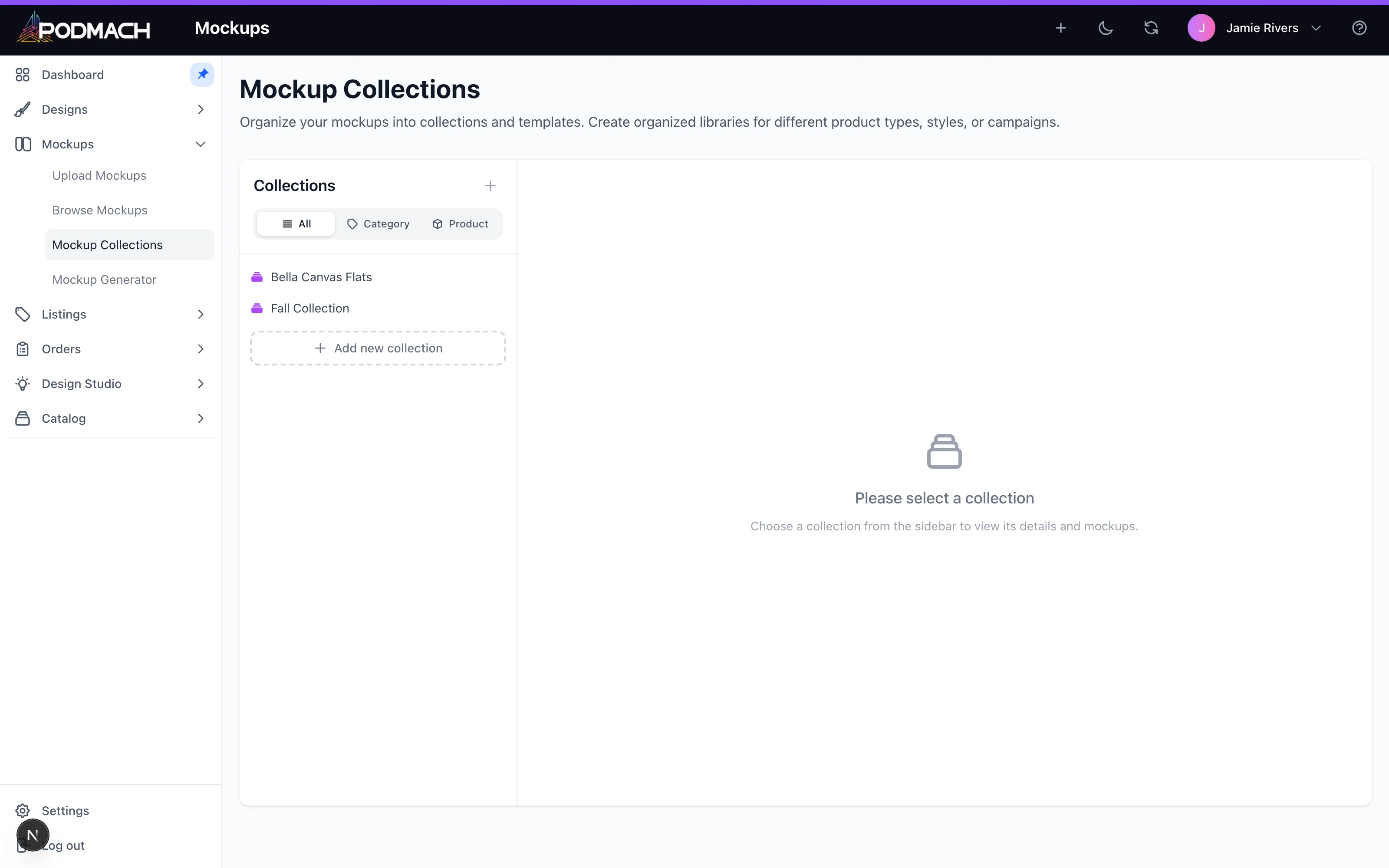
What to put in a collection
A good collection is a template for a product, not a design. For a tee, that might be: a flat-lay hero, a worn lifestyle shot, a color grid, a print close-up, a size chart and a gift-context scene. Every design you list on that tee then gets the same professional sequence. Build a separate collection for each blueprint — mugs need different scenes and a different size reference than sweatshirts.
Anatomy of a listing image set that converts
Marketplaces give you multiple image slots — Etsy allows up to 20 photos per listing, plus listing video. Use them as a sequence, not a pile:
- Hero shot — clean, bright, design fully readable at thumbnail size. This one does the clicking.
- Lifestyle context — the product on a person or in a room; helps buyers picture owning it.
- Color/variant grid — show the options at a glance.
- Detail close-up — print texture and quality.
- Size chart or scale reference — reduces returns and "is this true to size?" messages.
You don't need to fill all 20 slots. Five to eight strong images beat twenty repetitive ones. Add more only when each answers a new question: a second lifestyle angle, a back print, a gift-wrapped scene in Q4.
Matching the set to the buyer
The sequence above is a default. Adjust it to how the product is bought:
- Apparel: fit and color questions dominate. A worn shot and a size chart earn their slots.
- Mugs and drinkware: scale is the question. Show it in a hand or next to a familiar object, and show both sides if the design wraps.
- Wall art and posters: room context is everything. Show the print on a wall with furniture for scale, and say what size each mockup shows.
- Gift-driven niches: add a gifting scene (wrapped, on a table, being opened) — especially in Q4 (see the Holiday Season Prep Checklist).
Thumbnail rules (where most mockups fail)
- Test every hero image at 200 pixels wide. If the design isn't readable, it isn't a hero.
- High contrast between design and garment color wins clicks.
- Avoid clutter in the hero — busy scenes belong in slots 2–5.
- Keep the design centered. Etsy lets you adjust how your thumbnail is cropped, and search layouts can crop tighter than your full image. A design near the edge of the frame can get cut off.
A quick thumbnail test
Shrink your hero image to about 200 px wide and put it next to the top three results for your main search phrase. Then ask: can you read the design? Can you tell what product it is? Does it look different from its neighbours? If any answer is no, change the scene, the garment color or the crop before publishing.
What image size should Etsy listing photos be?
As of October 2026, Etsy's help center recommends listing photos that are at least 2,000 pixels in width and height, and says your first photo should be at least 635 pixels in width and height to avoid showing up lower in search. It also notes that very large files (over 1 MB) may fail to upload on slower connections. Check your mockup exports against those numbers — and confirm current requirements on Etsy's help center, since they change.
For your own Shopify or WooCommerce store, image requirements depend on your theme. Use one aspect ratio across the store so collection pages line up cleanly.
Common mockup mistakes
- Inaccurate scale. The design looks bigger on the mockup than it prints. Buyers notice on delivery.
- Showing colors you don't sell. A buyer falls for the forest green you didn't enable, then can't buy it.
- One stunning hero, then nothing. A single image leaves fit, scale and quality unanswered.
- Mixing mockup sources within a shop — different lighting, models and backgrounds on every listing.
- Lifestyle-heavy heroes. A beautiful room scene where the design is a postage stamp loses at thumbnail size.
- Never refreshing. If a listing gets views but no clicks, the hero image is the first thing to test.
When to refresh a mockup
Change the hero when a listing has impressions but a low click rate, or when you're giving a listing one last chance before retiring it (see The Scaling Playbook). Change one thing at a time — hero image or title, not both — so you know what worked.
Consistency is a brand
Same mockup style, same lighting, same framing across your shop reads as "professional operation." Mismatched mockup sources read as "reseller." Collections make consistency the default rather than a discipline.
Key takeaways
- In POD, the mockup is the product photo: it wins the click, answers questions and sets expectations.
- Generate on the exact blueprint and colors you'll sell, with honest print scale.
- Build one mockup collection per core blueprint so every listing gets the same professional sequence.
- Sequence your images: hero, lifestyle, color grid, detail, size/scale — then add only what answers a new question.
- Test heroes at thumbnail size and keep the design centered.
- Etsy recommends photos at least 2,000 px in width and height; confirm current specs on Etsy's help center.
Next: The Listing Wizard, End to End — where mockups, designs, and pricing become a live listing.
Continue the Growing Your Business path
MACH AI: Listing Copy at Speed
2 min read